

Overview
- Purpose: Configure your AI agent to make and check bookings using Cal.com
- Requirements: Cal.com API keys and event type IDs
- Note: All actions must be assigned to an AI agent to function
Accessing the Task/Action Section
- Log in to your Ordibl Dashboard
- Locate and click on the “Task/Action” option in the left navigation sidebar
- You’ll be taken to the action configuration interface
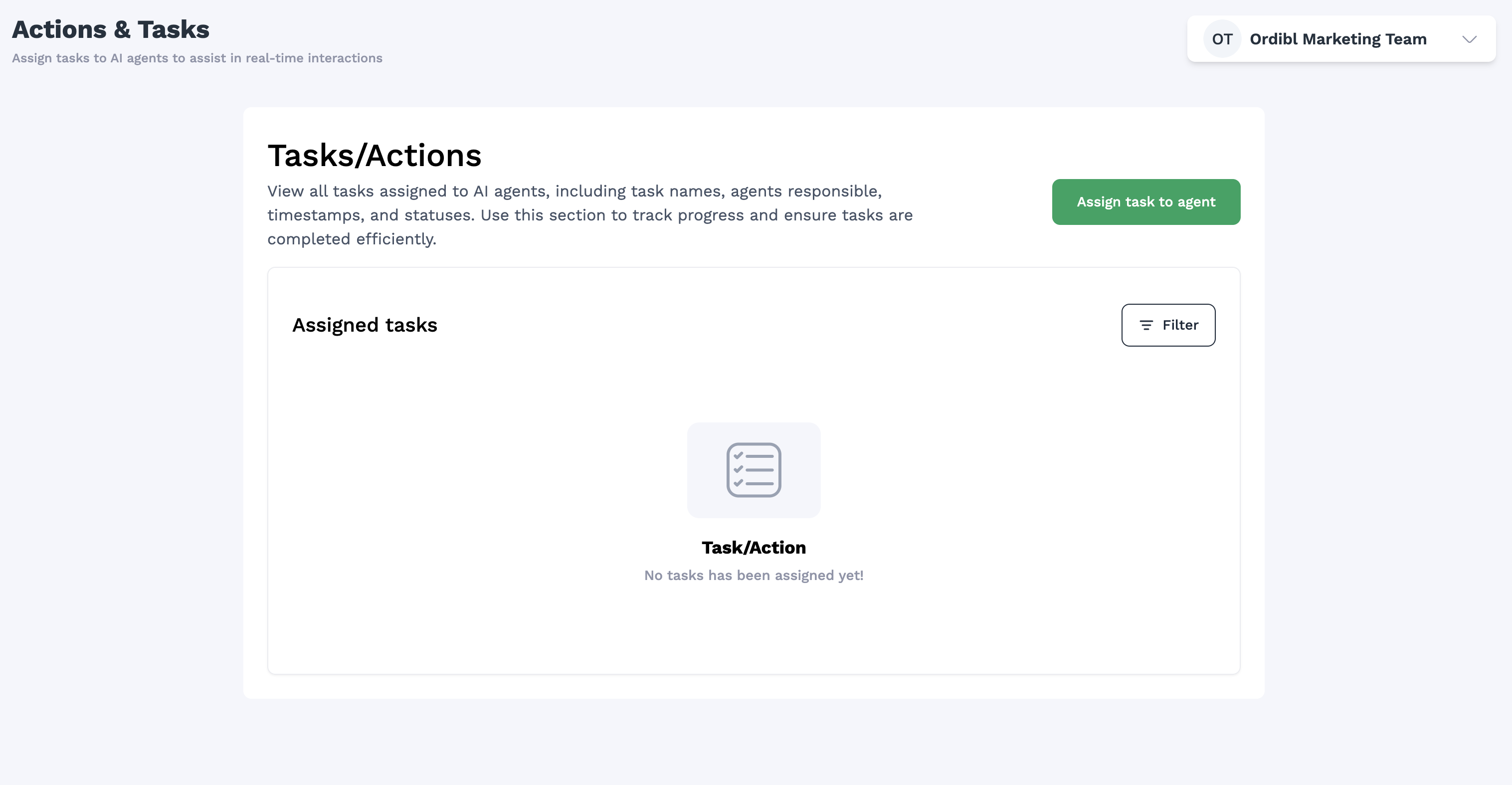
Ordibl Task/Action Section
Creating a New Booking Action
- Click the “Create New Action” or “Add Action” button
- Select “Booking Management” from the action type dropdown
- Give your action a descriptive name (e.g., “Customer Appointment Scheduling”)
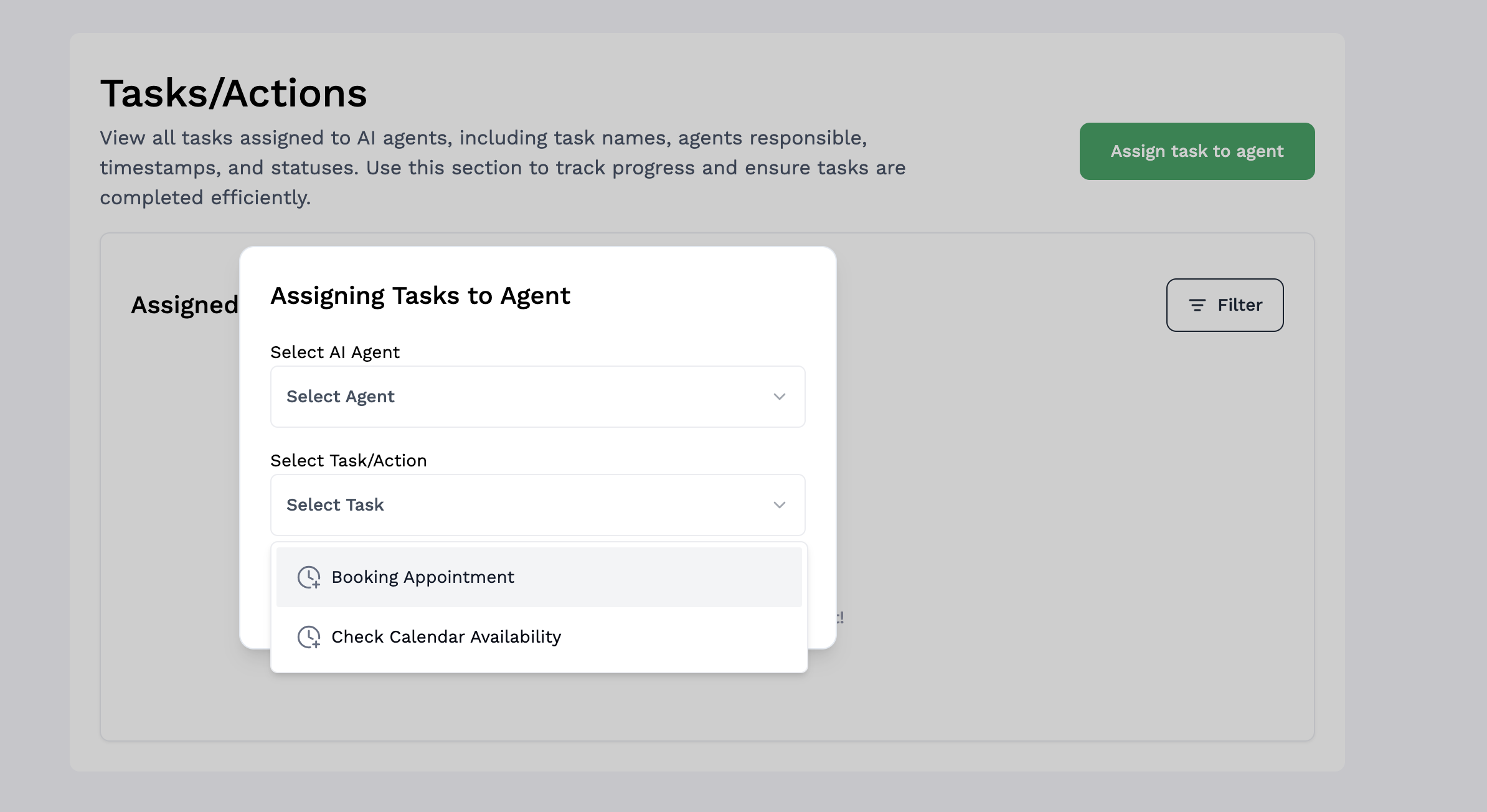
Configuring Cal.com Integration
- Creating a New Booking Appointment Action
- Look for the “Create New” or ”+” button on the Actions & Tasks page
- Select “Booking Appointment” from the available action types
- Select your AI agent from the dropdown menu
- Click “Continue” to proceed
- A modal window will appear with the booking configuration form
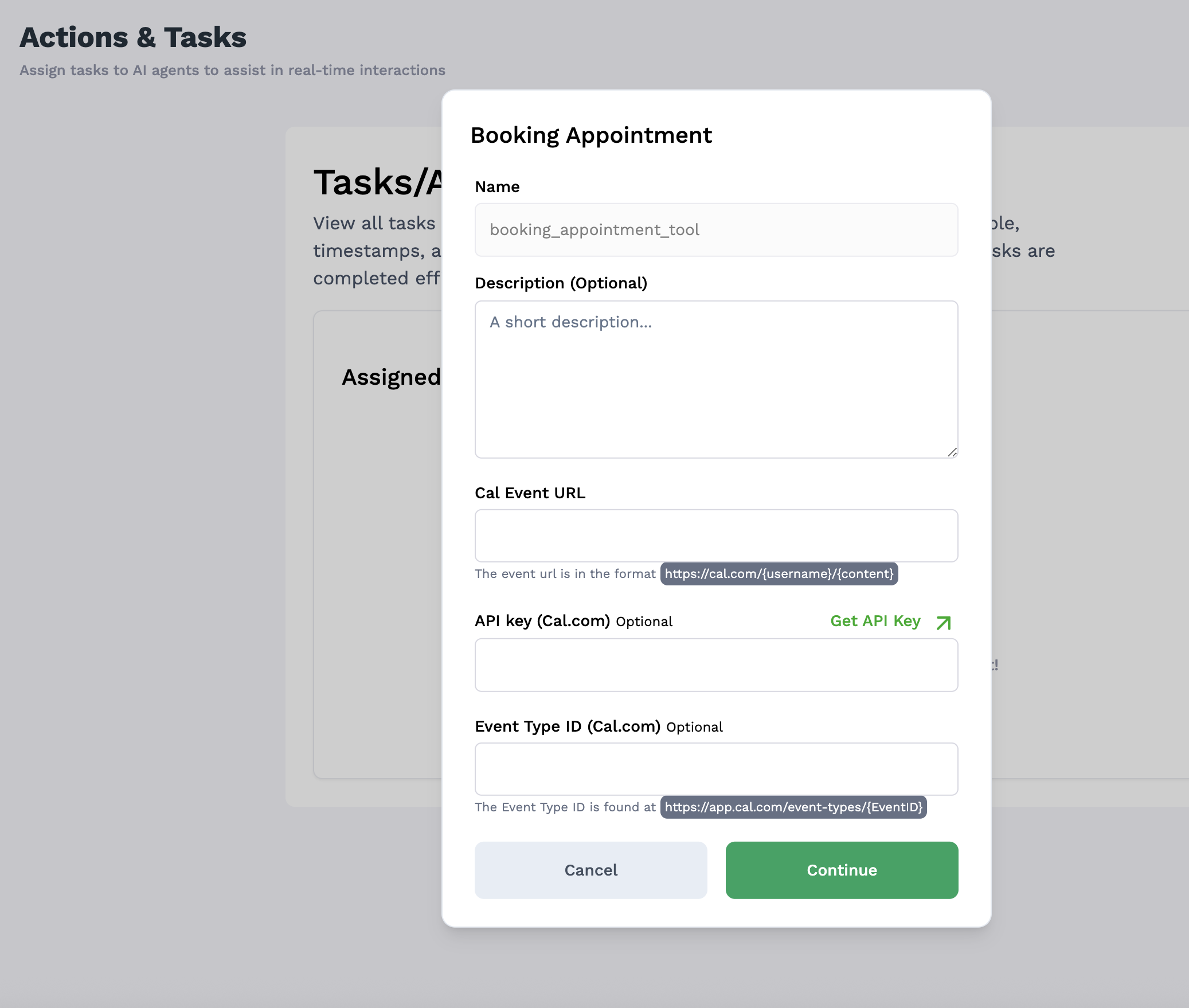
- Fill in the required fields:
- Action Name: Give your action a descriptive name (e.g., “Customer Appointment Scheduling”)
- Description: Provide a brief description of what this action does
- Booking URL: Enter your Cal.com booking URL
- This should be in the format:
https://cal.com/{username}/{content} - This is the public-facing booking page for your calendar
- This should be in the format:
- API Key: Enter your Cal.com API key
- If you don’t have one yet, click the “Get API Key” button to be directed to Cal.com
- Event Type ID: Enter the Event Type ID from Cal.com
- This can be found at
https://app.cal.com/event-types/{EventID}
- This can be found at
Important Notes
- Ensure your Cal.com account has available slots configured
- API keys should have the proper permissions for creating and reading events
- Keep your API credentials secure and updated
- If you change event types in Cal.com, update your Ordibl configuration
- Create clear conversation templates for your AI to use when discussing booking options
- Consider time zone handling for international customers