

Benefits of CRM Integration
- Sync your existing customer data with Ordibl
- Enable AI agents to make outbound calls to your CRM contacts
- Maintain consistent customer records across systems
- Leverage customer insights for more effective conversations
- Automate follow-ups and engagement

Ordibl CRM Integration
Available CRM Integrations
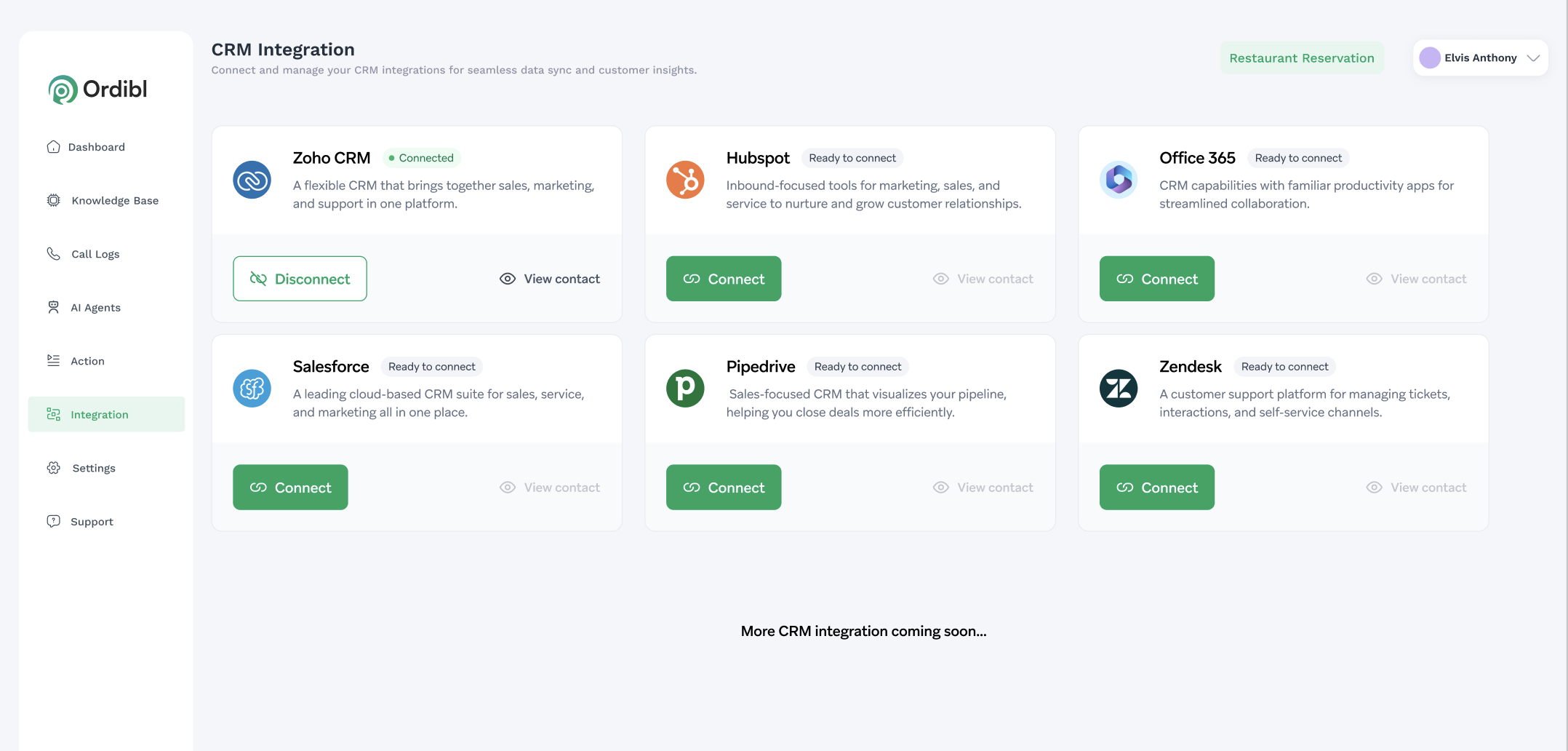
Ordibl currently supports the following CRM platforms:- Zoho CRM - A flexible CRM that brings together sales, marketing, and support in one platform
- Hubspot - Inbound-focused tools for marketing, sales, and service to nurture customer relationships
- Microsoft 365 - CRM capabilities with familiar productivity apps for streamlined collaboration
- Pipedrive - Sales-focused CRM that visualizes your pipeline, helping close deals more efficiently
- Zendesk - A customer support platform for managing tickets, interactions, and self-service channels
- Salesforce - (Coming Soon) A leading cloud-based CRM suite for sales, service, and marketing
Access the CRM Integration Page
- Log in to your Ordibl dashboard
- Navigate to “Integrations” in the left sidebar
- Browse the available CRM providers
- Identify your current CRM system
- Click the “Connect” button beside your chosen provider
Authentication
- You’ll be redirected to your CRM’s authentication page
- Enter your CRM login credentials
- Approve the requested permissions for Ordibl
- Wait for the connection to be established
Configure Data Syncing
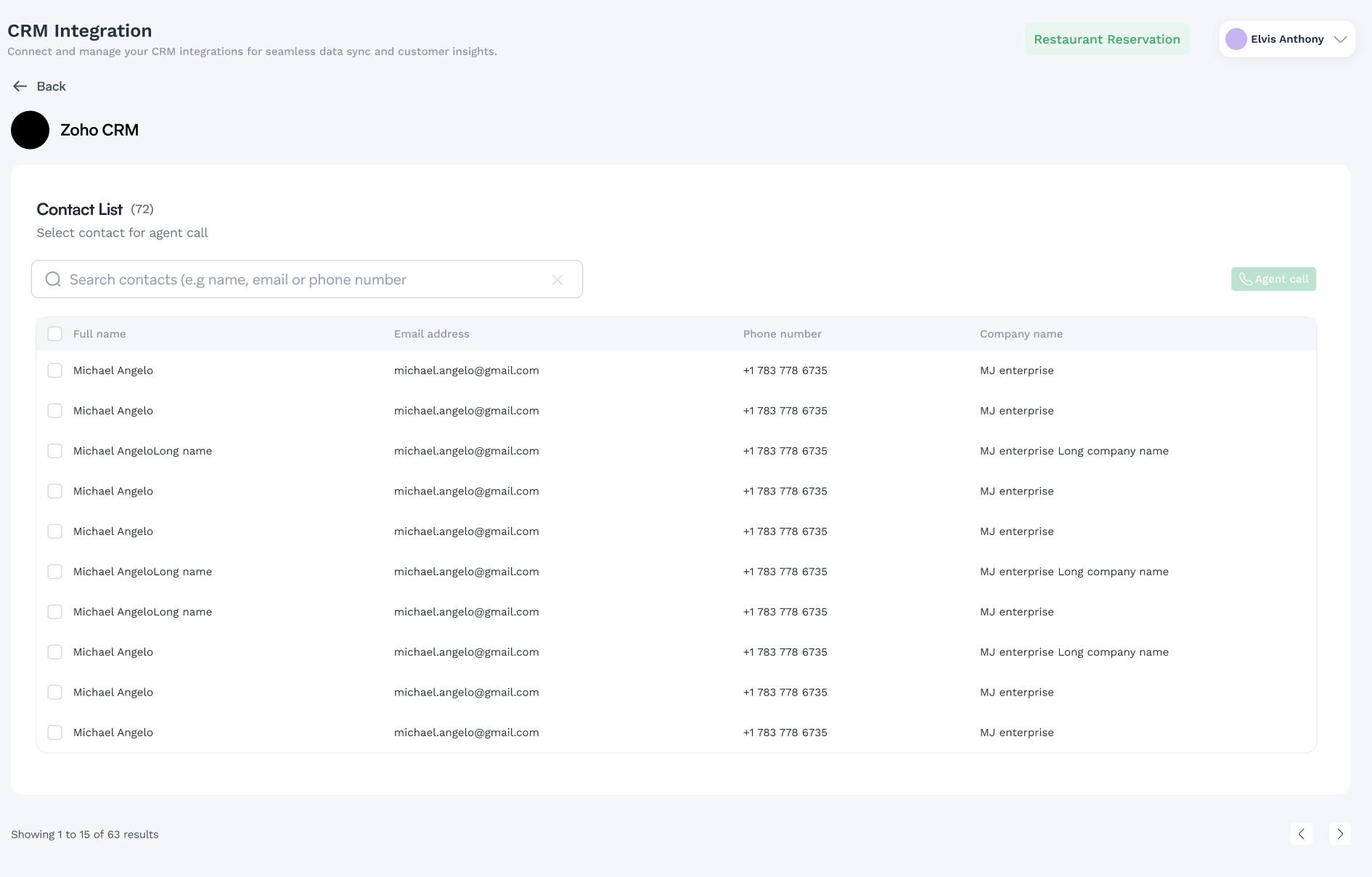
- Select which contact lists to import
- Choose which contact fields to sync (name, phone, email, etc.)
- Set up sync frequency (manual, daily, hourly)
- Configure contact filters if needed
Additional Configuration
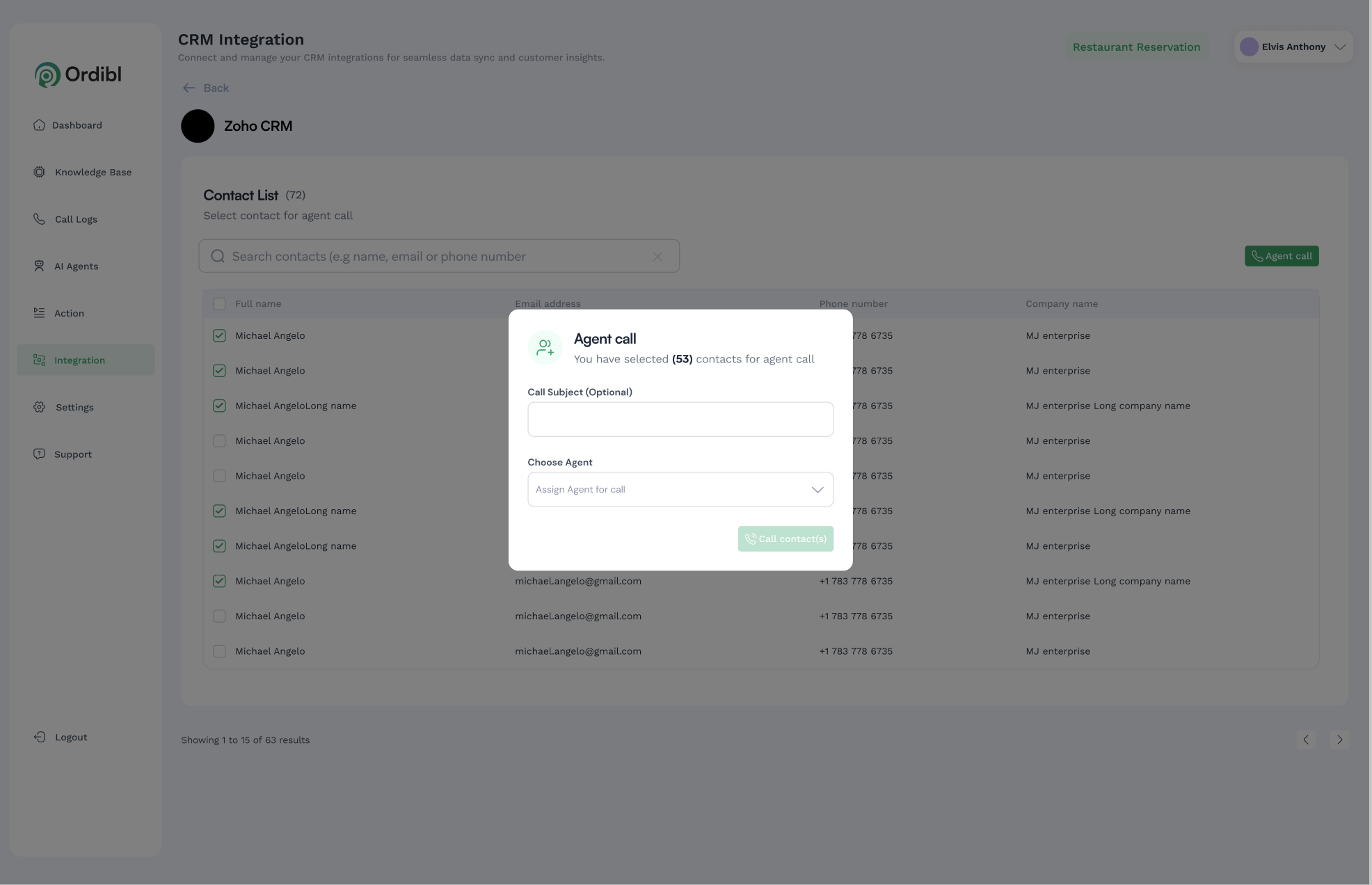
- Assign AI agents to your imported contact lists
- Make sure the AI Agent you selected is configured for Outboud calls

Test Your Integration
- Import a small test group of contacts
- Schedule a test call campaign
- Monitor call quality and outcomes
- Make adjustments as needed
Troubleshooting Connection Issues
- Verify your CRM credentials are current
- Check that API access is enabled in your CRM settings
- Ensure proper permissions are granted to Ordibl
- Contact support if connection problems persist
Best Practices
- Regularly audit your contact lists for accuracy
- Segment contacts for more targeted outreach
- Create specific conversation flows for different customer segments
- Set appropriate calling hours to respect customer preferences
- Review call recordings to continuously improve agent performance
- Maintain GDPR/CCPA compliance with proper consent management
Coming Soon
Additional CRM integrations are being developed, including:- Salesforce (as shown in the image)
- More specialized industry-specific CRM solutions
- Enhanced data syncing capabilities
- Advanced campaign management features