

Navigating to Call Logs
- Log in to your Ordibl Dashboard
- Locate and click on the “Call Logs” option in the left navigation sidebar
- The Call Logs screen will display with a summary of all call activity.
Call Summary Cards
- Total Calls: Number of all calls in the selected period (Last 30 days)
- Completed Calls: Successfully processed calls
- Missed Calls: Calls that weren’t answered by your AI agent
- Abandoned Calls: Calls where the caller hung up prematurely
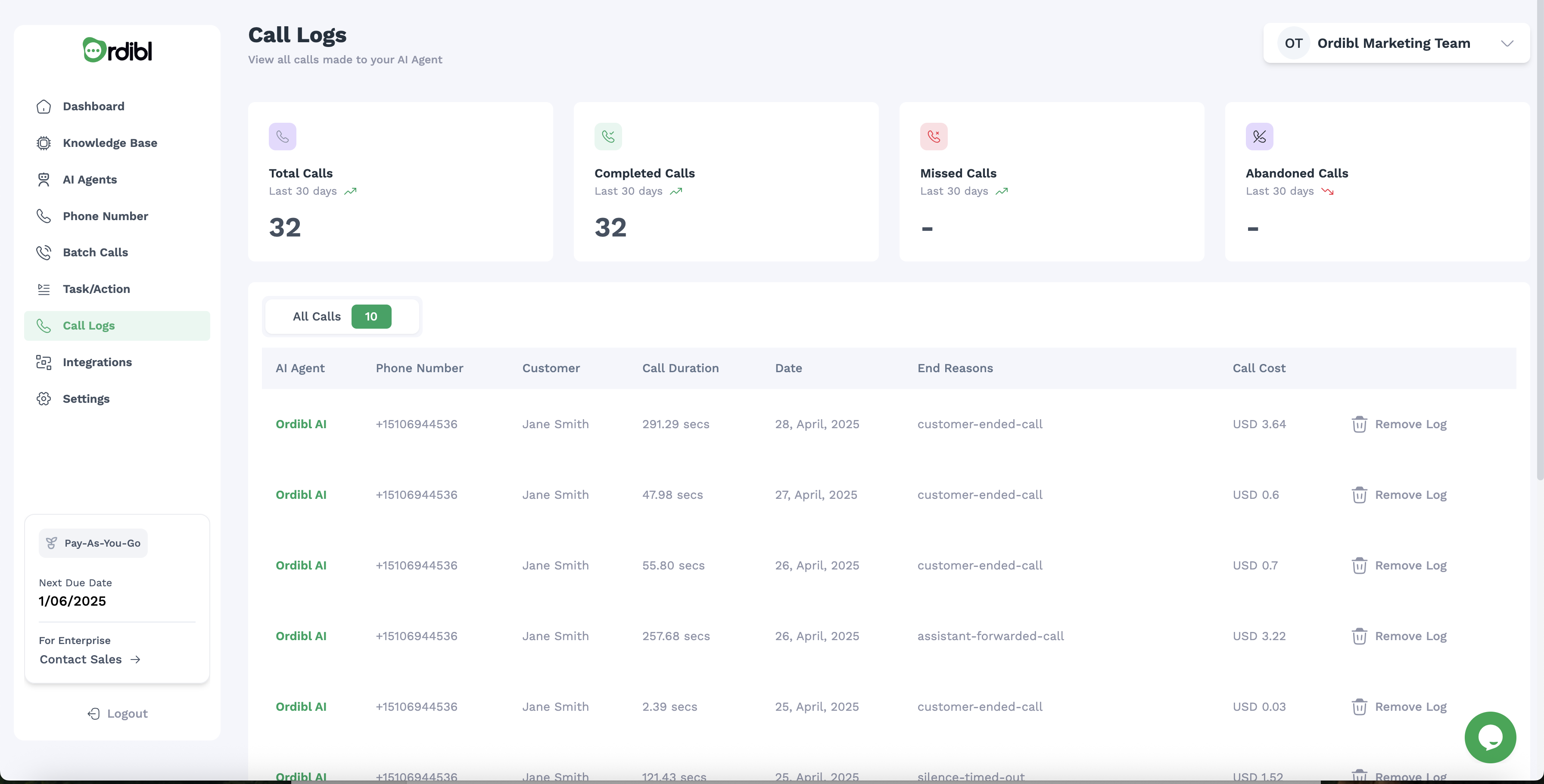
Ordibl Call Logs
Call Log Table
The detailed call log table includes the following columns:- AI Agent: Name of the AI agent that handled the call
- Phone Number: The caller’s phone number
- Customer: Name of the caller (if identified)
- Call Duration: Length of the call in seconds
- Date: When the call occurred
- End Reasons: How the call concluded (customer-ended, assistant-forwarded, silence-timeout)
- Call Cost: The exact cost of each call (USD)
- Actions: Options to remove log entries
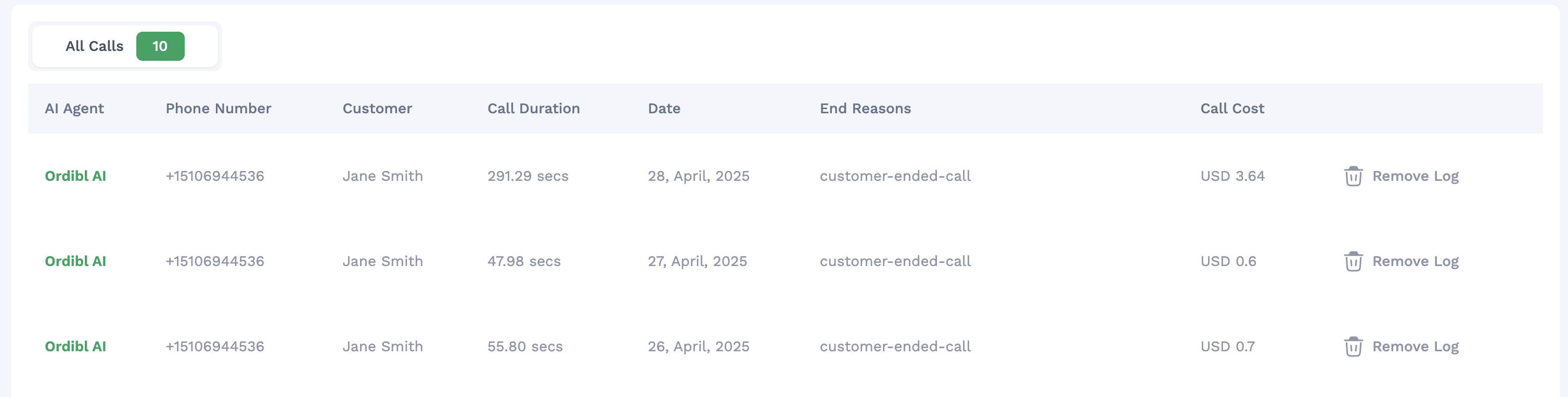
Ordibl Call Logs Table
Advanced Call Log Features
Viewing Call Transcripts
- Click on a specific call in the log
- Access the complete transcript showing the entire conversation
- Review what was said by both the caller and your AI agent
- Download or play the call audio of the conversation
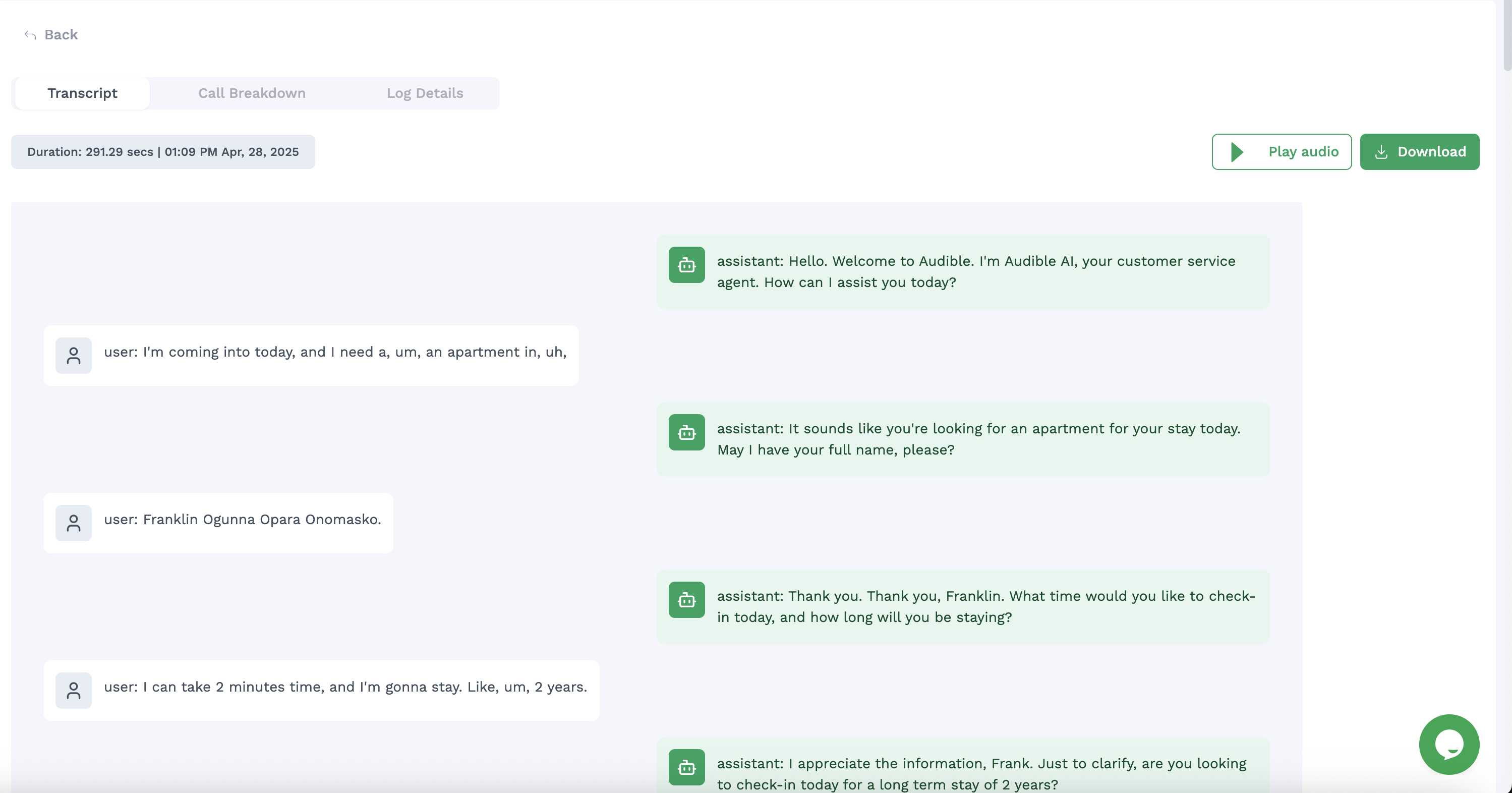
Ordibl Call Transcript
Cost Breakdown Analysis
- Select a call to view its detailed cost information
- See the cost structure based on:
- Call duration
- LLM (Language Model) usage
- Ordibl API usage & associated costs
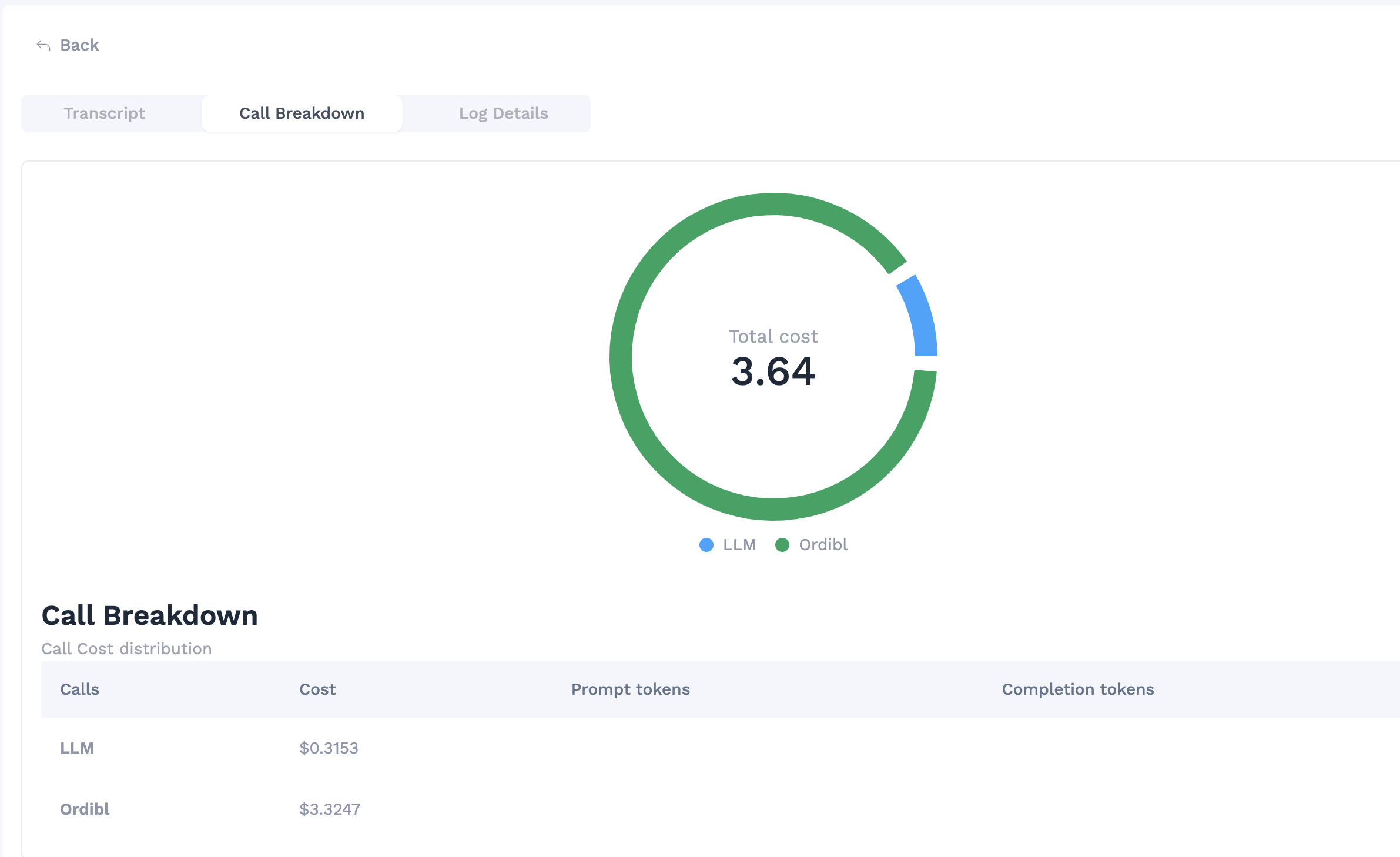
Ordibl Call Cost Breakdown
Conversation Details
- Access in-depth information about each call
- View decision paths taken by the AI
- Analyze sentiment and key moments during the conversation
- See what knowledge base entries were referenced
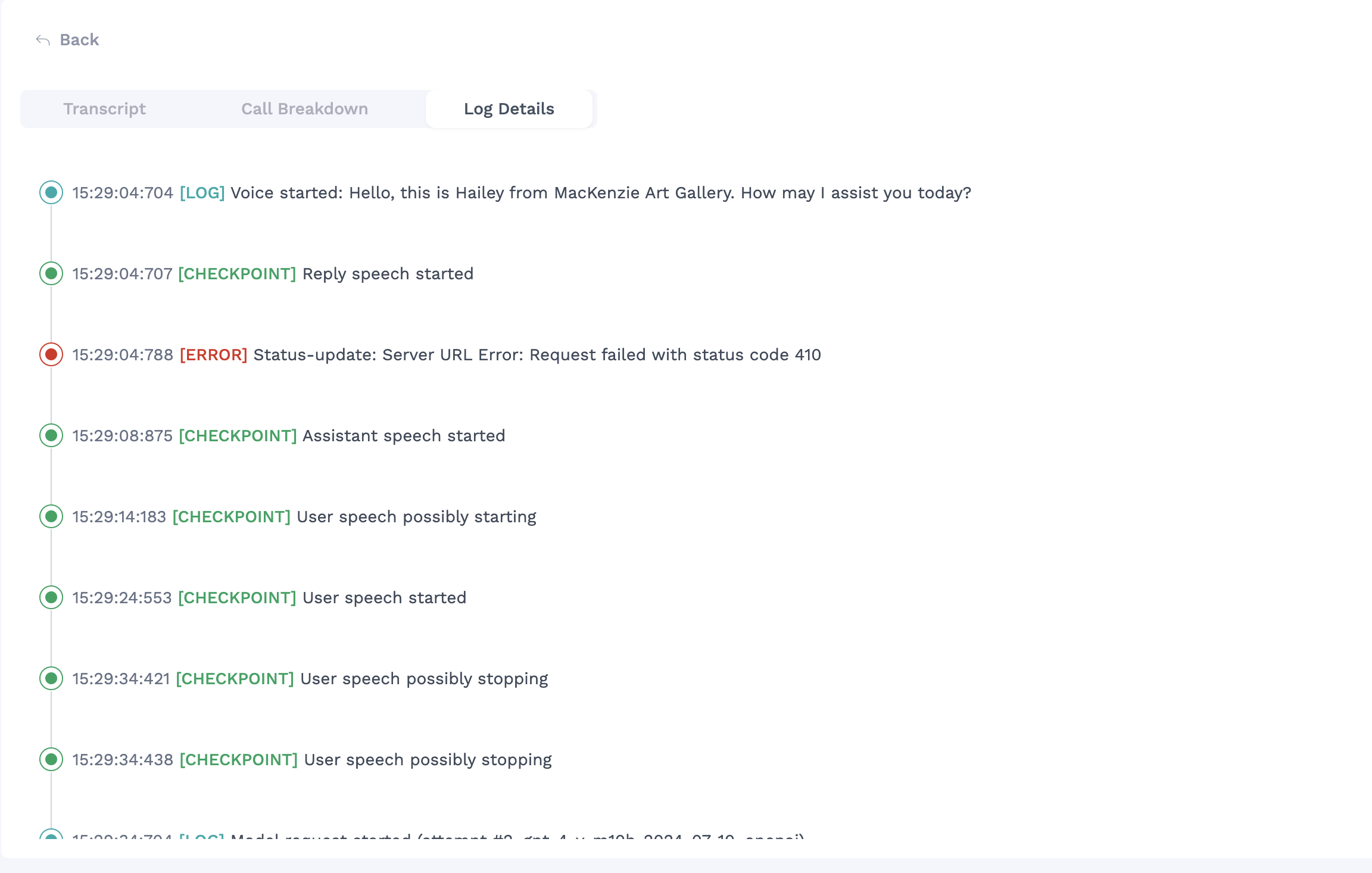
Ordibl Call Conversation Details
Best Practices for Using Call Logs
- Regularly review call logs to identify common customer inquiries
- Use conversation details to improve your knowledge base content
- Identify calls with longer durations to find opportunities for optimization
- Track end reasons to understand call completion patterns