

Accessing the AI Agent Settings
- Log in to your Ordibl Dashboard
- Locate and click on the “AI Agent” option in the main navigation menu
- This will open the AI agent configuration interface
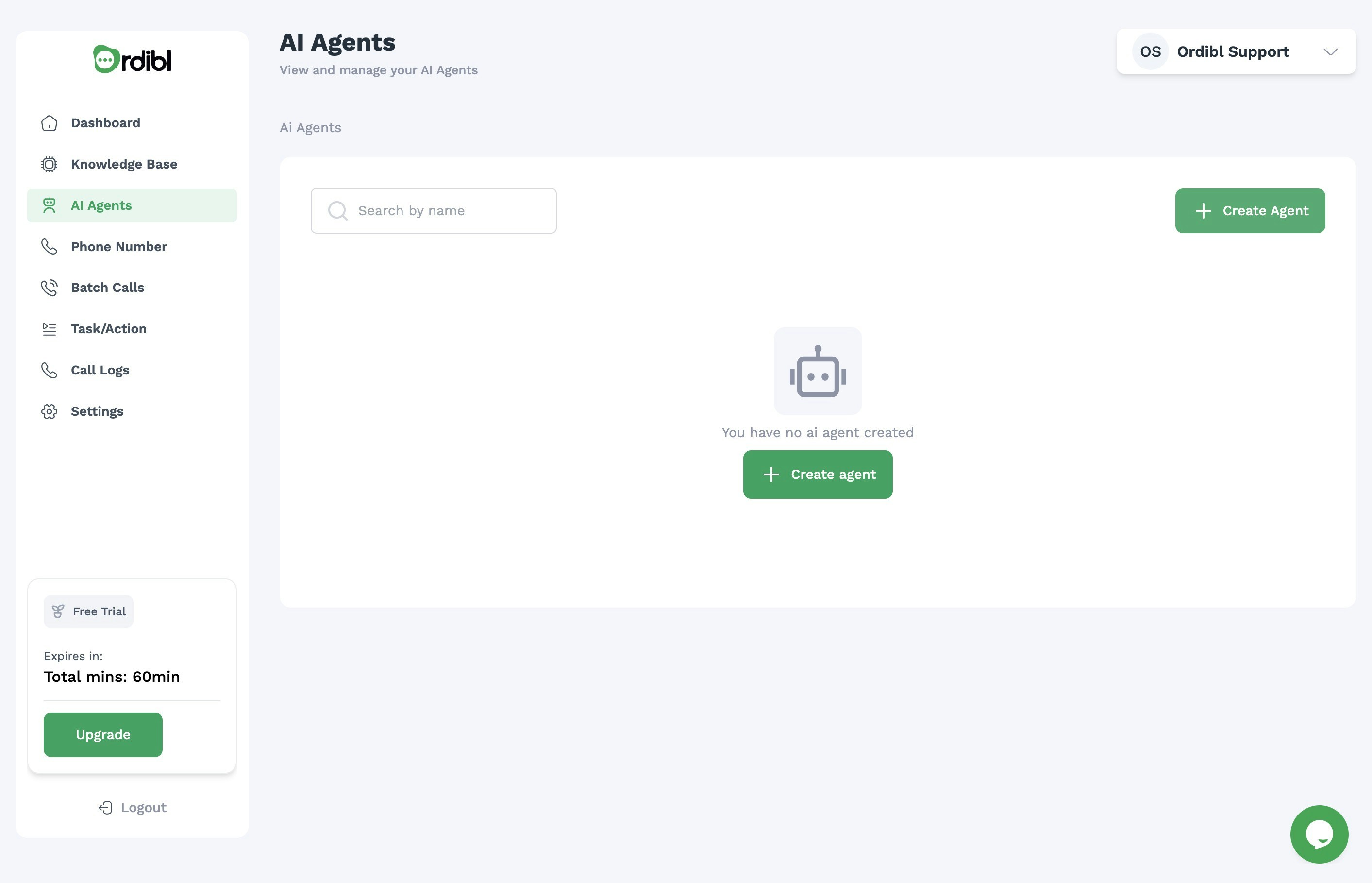
Ordibl AI Agent
Configuring Your AI Agent (Using Pre-Trained Models)
- Click on the “Create New Agent” button or select an existing agent to edit
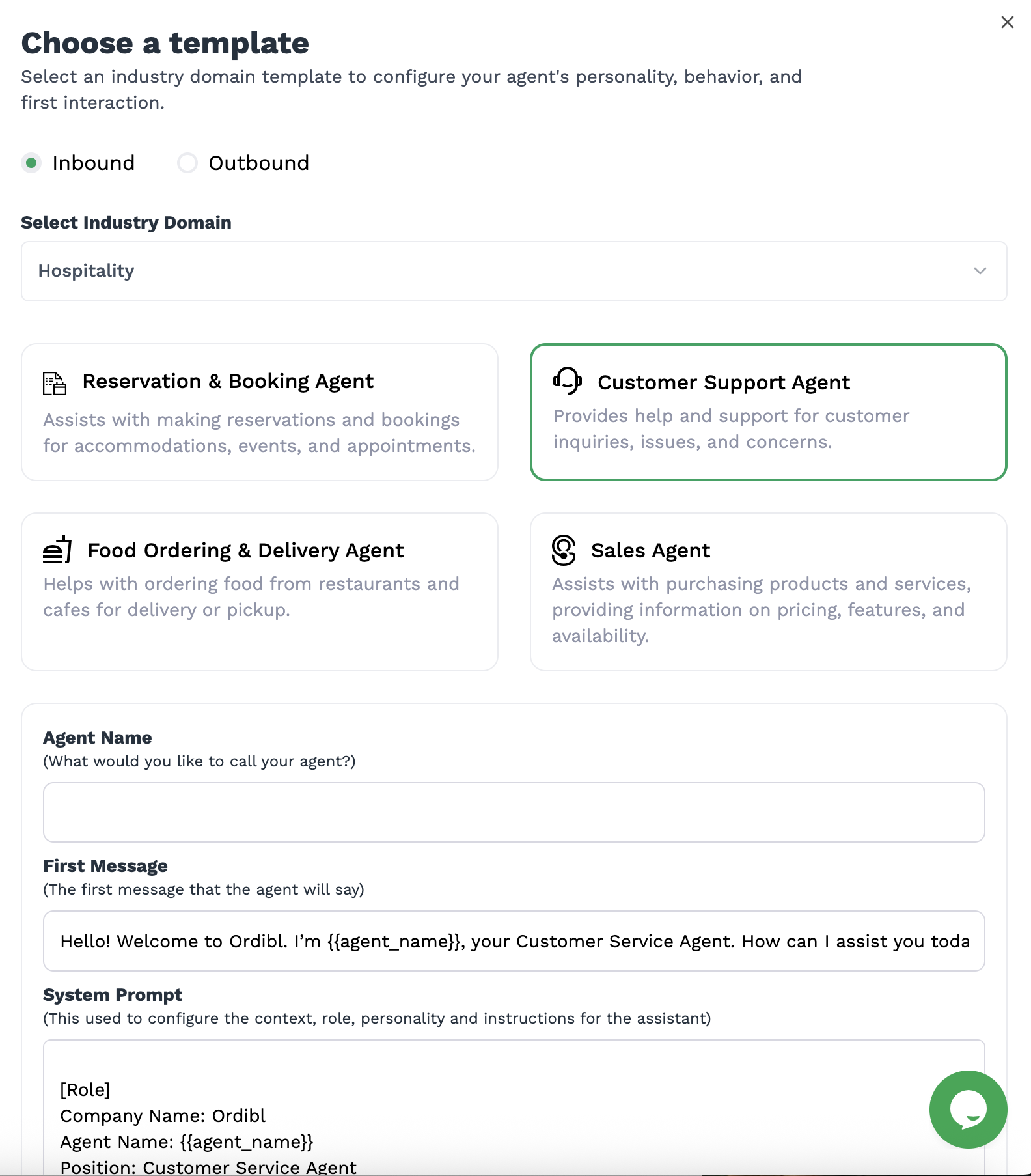
- Select Template from the Agent Personality Type
- Choose between Inbound or Outbound call types
- Select the Industry and AI agent type (e.g., Customer Service, Sales, etc.)
- Choose the AI agent’s name (this will be how the agent introduces itself)
- Save the agent name and model type
- Define your agent’s voice type (select from available voice options)
- Select the knowledge base for the agent (this is where the AI will pull information from)
- Save the AI voice agent configuration
Ordibl AI Agent Custom
Configuring your AI agent (Using Custom Models)
- Click on the “Create New Agent” button or select an existing agent to edit
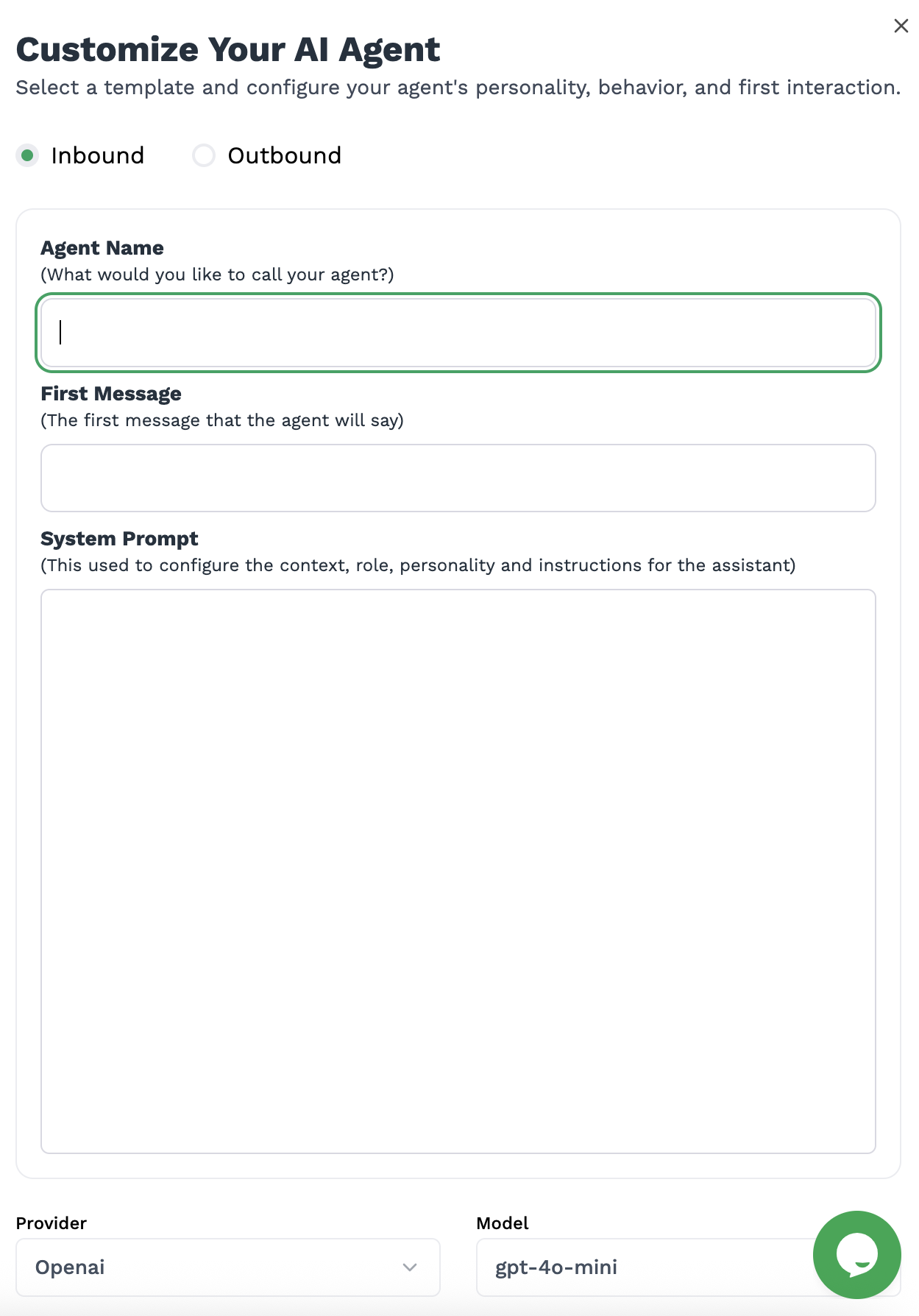
- Select “Custom” from the Agent Personality Type
- Choose between Inbound or Outbound call types
- Choose the AI agent’s name (this will be how the agent introduces itself)
- Create the first message for the agent (this is the first thing the agent will say when it answers a call)
- Create the System prompt (this is the instruction that will guide the AI agent’s behavior)
- Select the Provider and Model to use for the agent
- Optional: You can you use your own API key for the provider
- Set other parameters like temperature and max tokens
- Save the AI voice agent configuration
Ordibl AI Agent Custom
Important Tips
- Create a persona that aligns with your brand voice and values
- Provide clear guidelines for how the agent should handle different scenarios
- Test your agent with sample conversations before deploying
- Update your agent’s knowledge regularly through the Knowledge Base feature
- Monitor your agent’s performance and refine settings as needed