

Step-by-Step Instructions
Accessing the Knowledge Base- Log in to your Ordibl Dashboard
- Locate and click on the “Knowledge Base” option in the main navigation menu
- This will take you to the Knowledge Base management area
Adding New Sources
- Look for and click the “Add Source” or ”+” button

Ordibl Knowledge Base
- Select the type of source you wish to add (document or URL))
- For documents: Click the file upload area to browse your device or drag and drop files
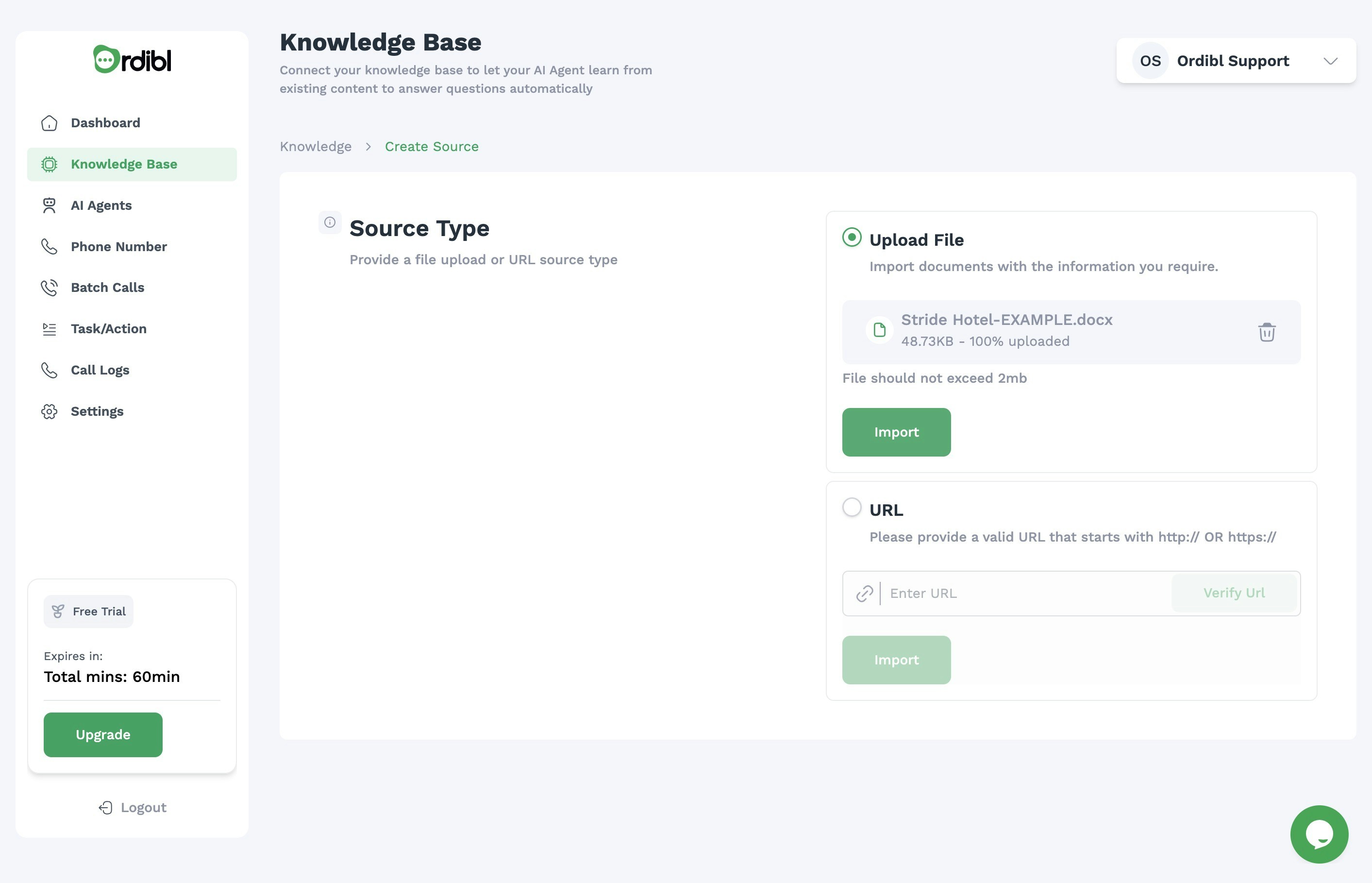
- For URLs: Enter the web address in the provided field. Note: Ensure the URL is publicly accessible and begins with https:// or http://
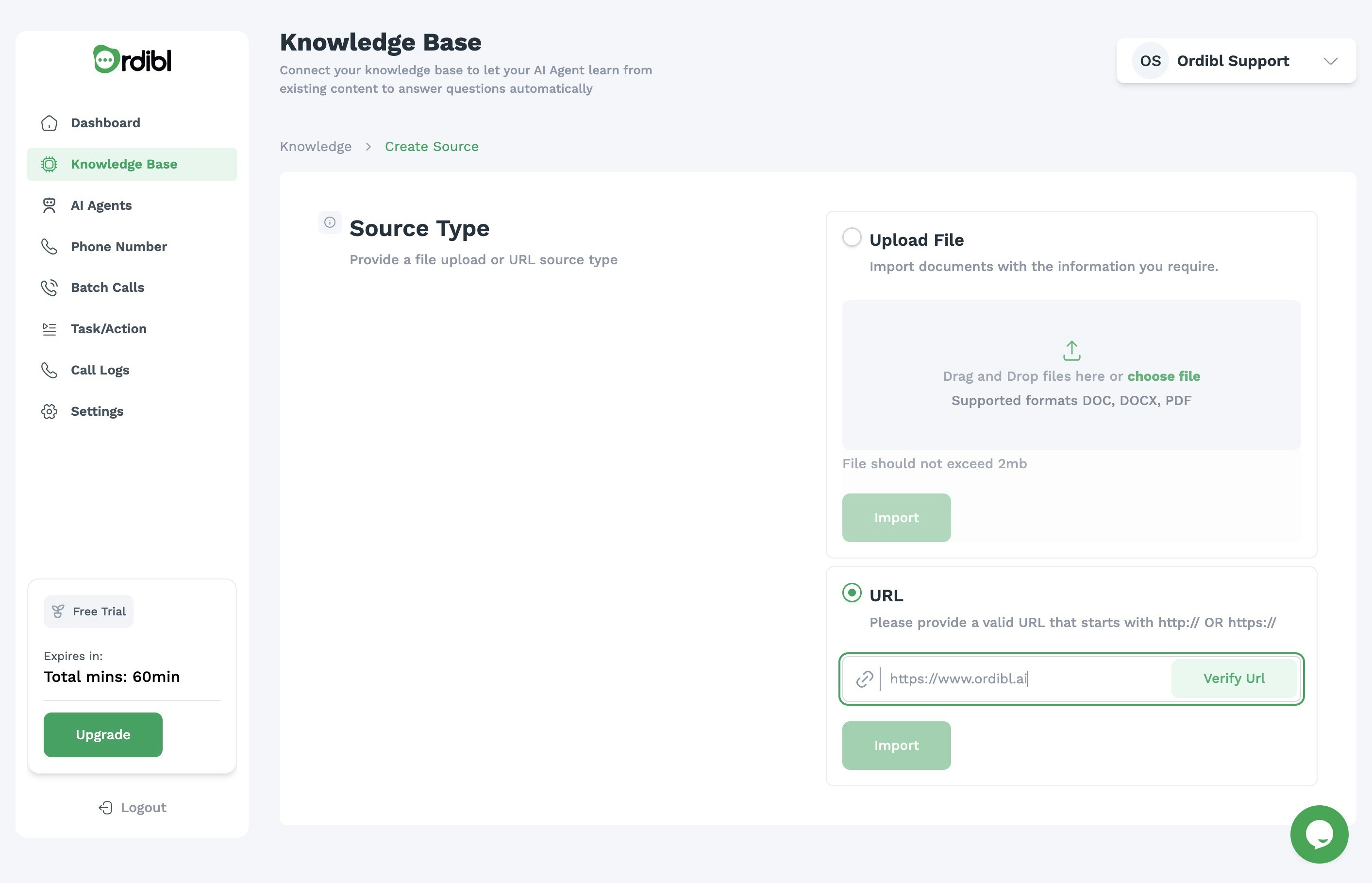
- Click “Save” to finalize adding the source to your Knowledge Base
Important Notes
- Your AI agent will use this information to answer calls and respond to queries
- Upload company-specific documents like FAQs, product guides, and policies
- Ensure information is accurate and up-to-date for optimal AI performance
- Supported file formats typically include PDF, DOCX, TXT, and other common formats
- Large documents may take longer to process