

Settings Categories
The Ordibl settings menu is organized into four main categories:- Basic Profile - Your company information and branding
- Security - Account protection and access controls
- Subscription Plan - Plan selection and billing options
- Provider Credentials - Custom API key configuration for AI models
Step-by-Step Instructions: Basic Profile
Accessing the Settings
- Log in to your Ordibl Dashboard
- Click on the “Settings” option in the main navigation menu
- The “Basic Profile” section should appear by default
Configuring Your Business Profile
- Enter your company name in the designated field (Very important for your business identity)
- Input your business contact information:
- Industry type
- Country
- Phone
- Click “Save” or “Update Profile” to finalize your business profile settings

Ordibl Basic Profile Settings
Other Settings Categories
Security
- Password management
- Two-factor authentication options
- Session timeout preferences
- User access controls and permissions
- Login history and monitoring
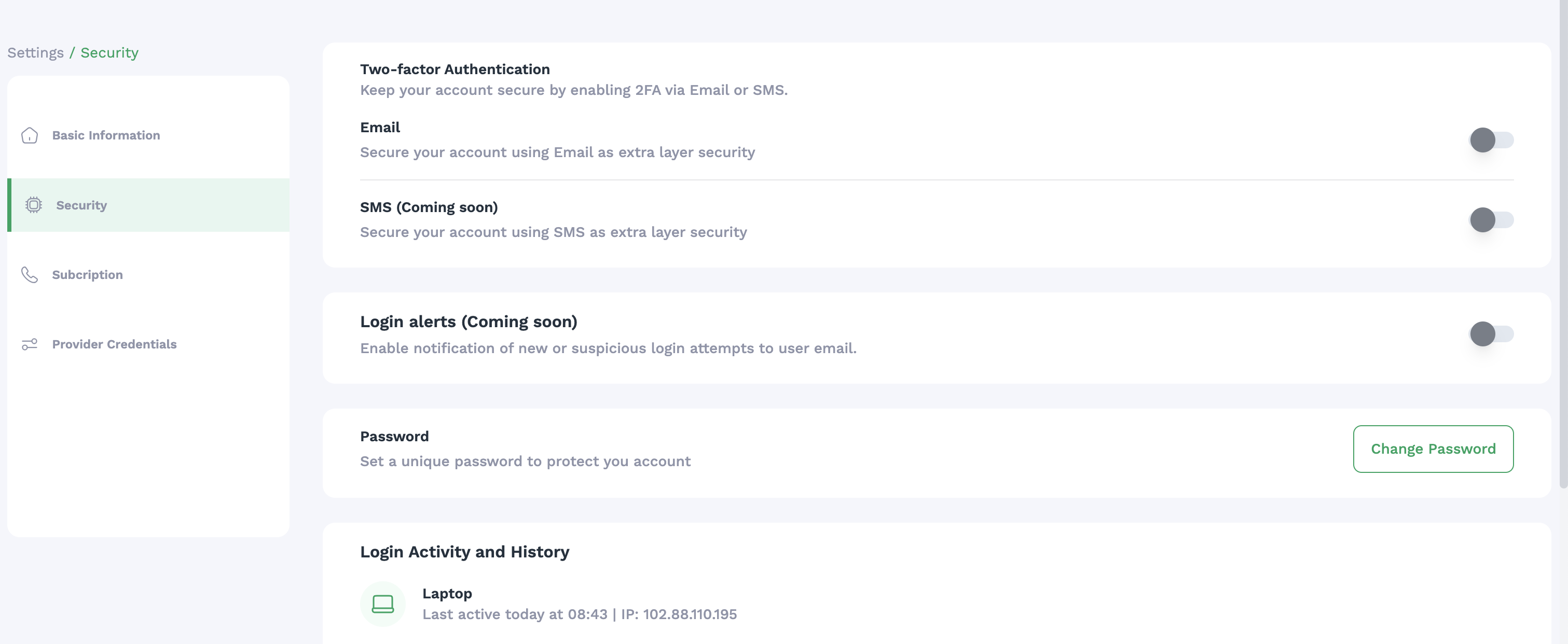
Ordibl Security Settings
Subscription Plan
- Ordibl subscription is a Pay-As-You-Go model
- For higher usage, you can upgrade to Enterprise plans
- Add a Pyament Method for billing
- View billing history
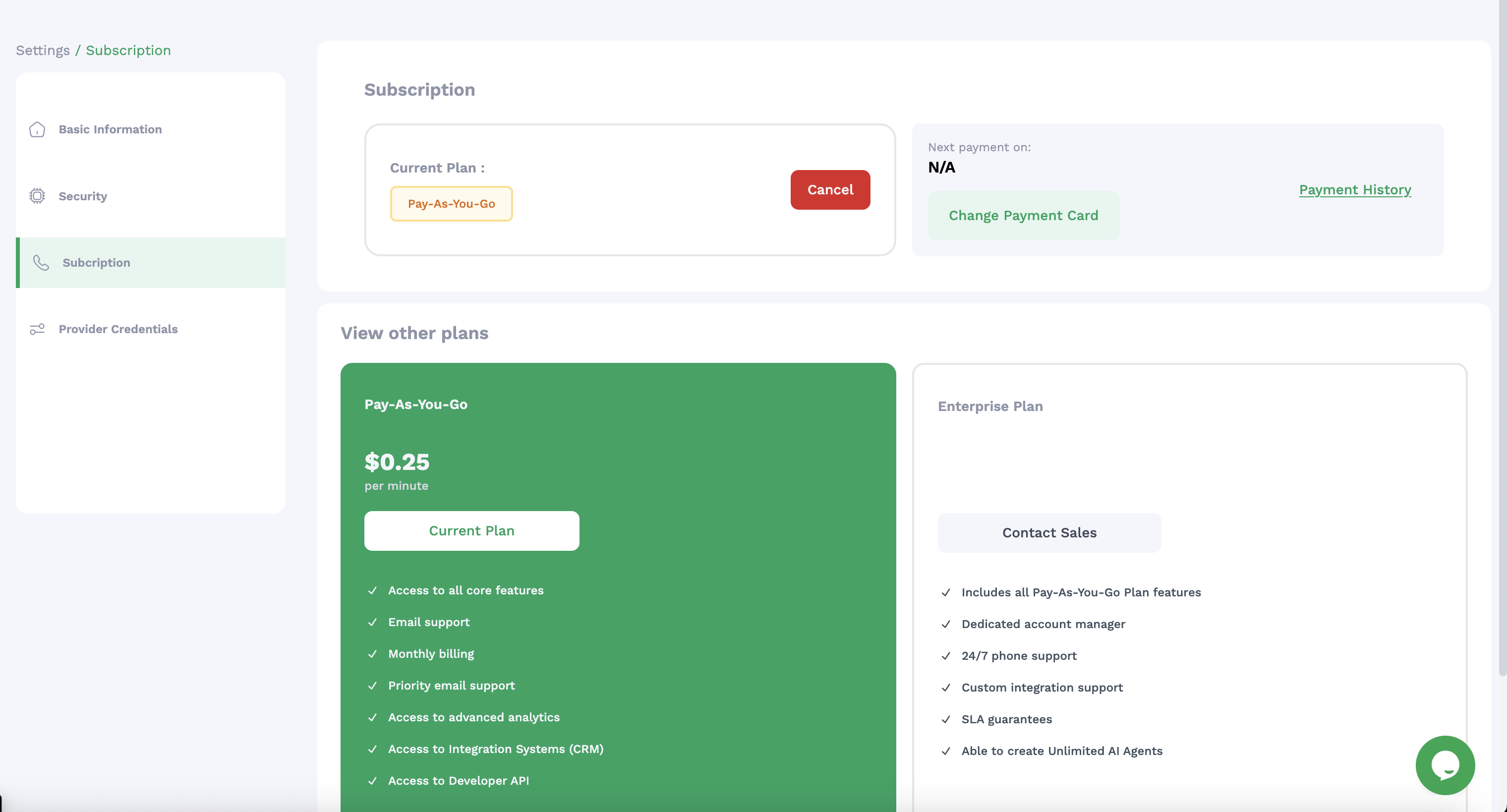
Ordibl Subbscription Plan
Provider Credentials
- Add your own API keys for preferred AI models
- Configure custom language model settings
- Manage authentication for external services
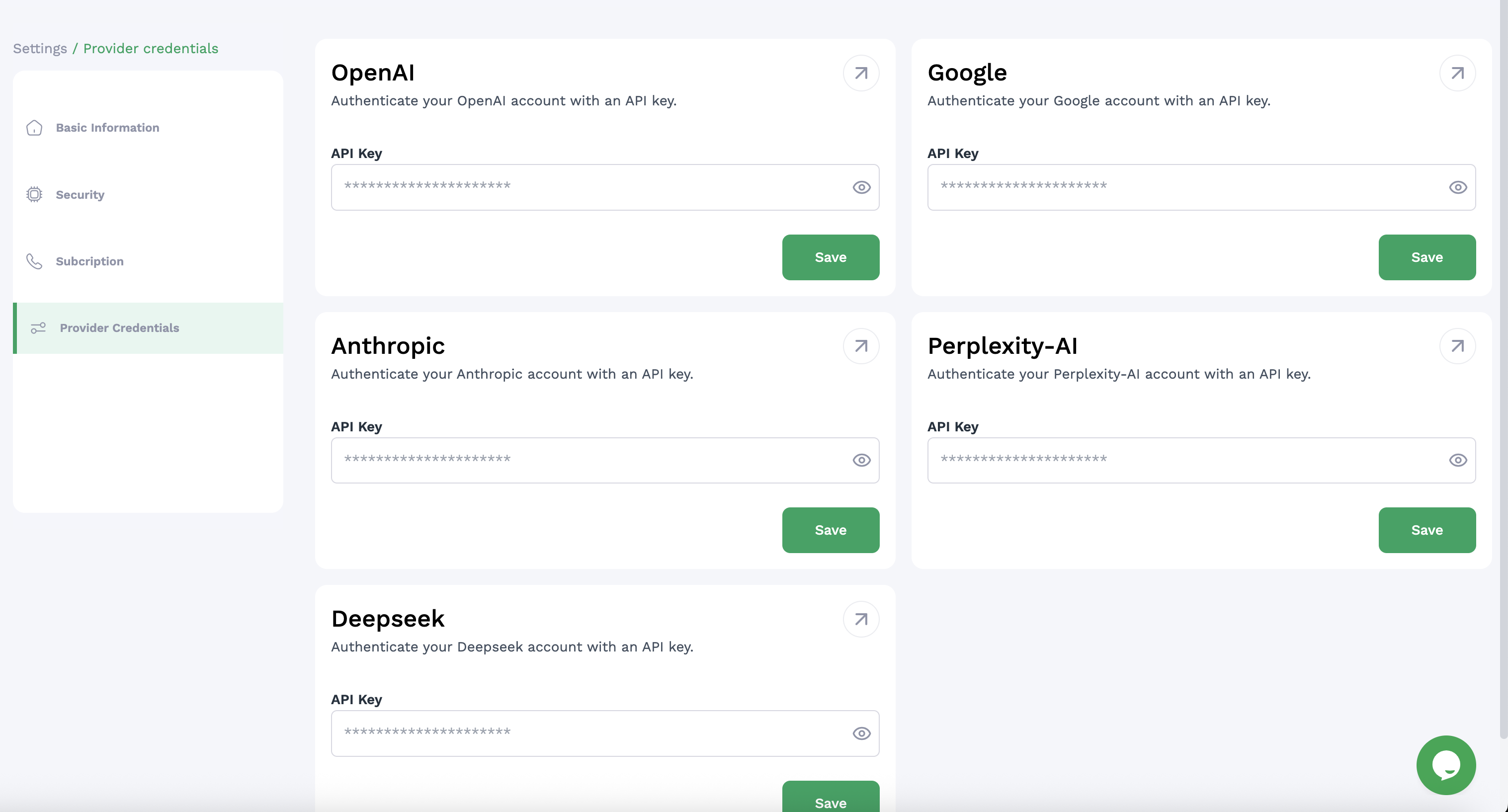
Ordibl Provider Credentials
Important Notes
- Your business profile information may appear in communications with customers
- Regularly review security settings to ensure account protection
- Monitor your subscription usage to avoid unexpected charges
- Custom API credentials may require separate accounts with those providers
- Settings changes may require logging out and back in to take full effect