> ## Documentation Index
> Fetch the complete documentation index at: https://docs.ordibl.ai/llms.txt
> Use this file to discover all available pages before exploring further.
# Settings
This guide will walk you through the process of configuring your settings in Ordibl, with special focus on your business profile and additional settings categories.
## Settings Categories
The Ordibl settings menu is organized into four main categories:
* **Basic Profile** - Your company information and branding
* **Security** - Account protection and access controls
* **Subscription Plan** - Plan selection and billing options
* **Provider Credentials** - Custom API key configuration for AI models
## Step-by-Step Instructions: Basic Profile
### Accessing the Settings
1. Log in to your [Ordibl Dashboard](https://app.ordibl.ai)
2. Click on the **"Settings"** option in the main navigation menu
3. The "Basic Profile" section should appear by default
### Configuring Your Business Profile
* Enter your company name in the designated field (Very important for your business identity)
* Input your business contact information:
* Industry type
* Country
* Phone
* Click "Save" or "Update Profile" to finalize your business profile settings
 ## Other Settings Categories
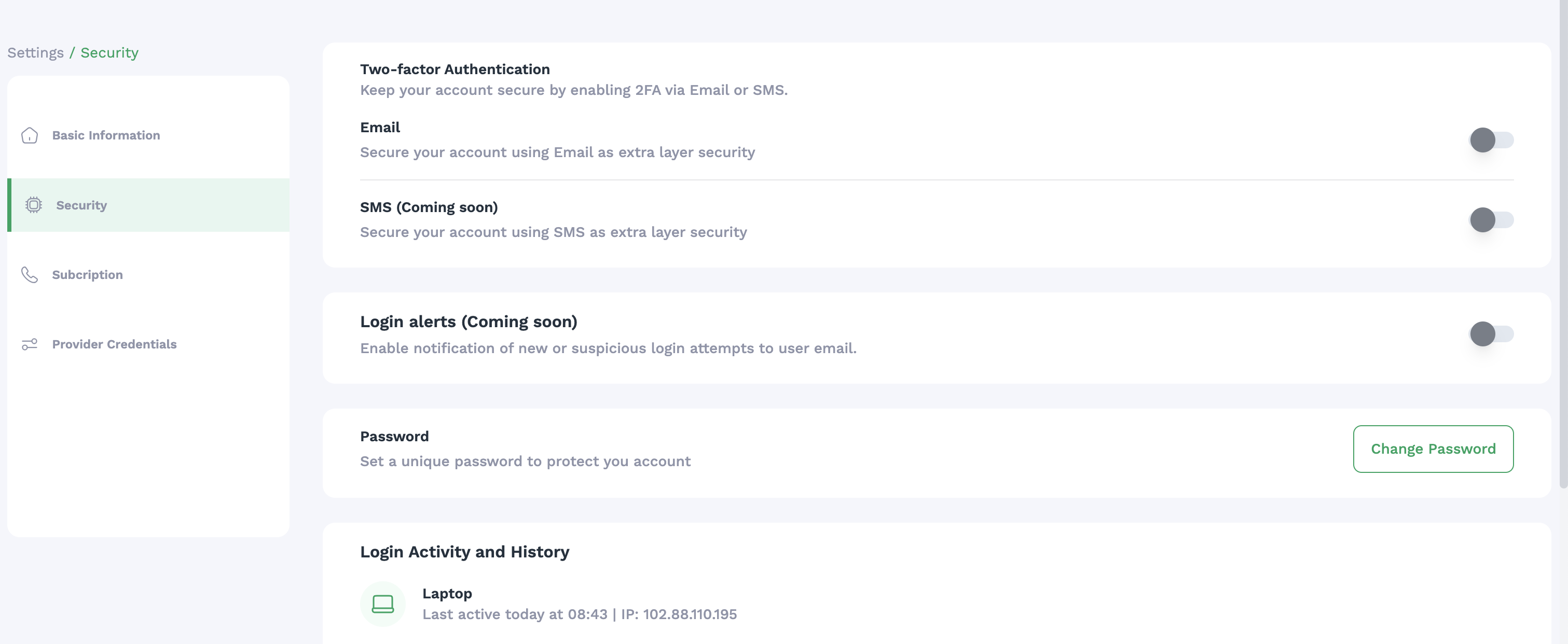
### Security
* Password management
* Two-factor authentication options
* Session timeout preferences
* User access controls and permissions
* Login history and monitoring
## Other Settings Categories
### Security
* Password management
* Two-factor authentication options
* Session timeout preferences
* User access controls and permissions
* Login history and monitoring
 ### Subscription Plan
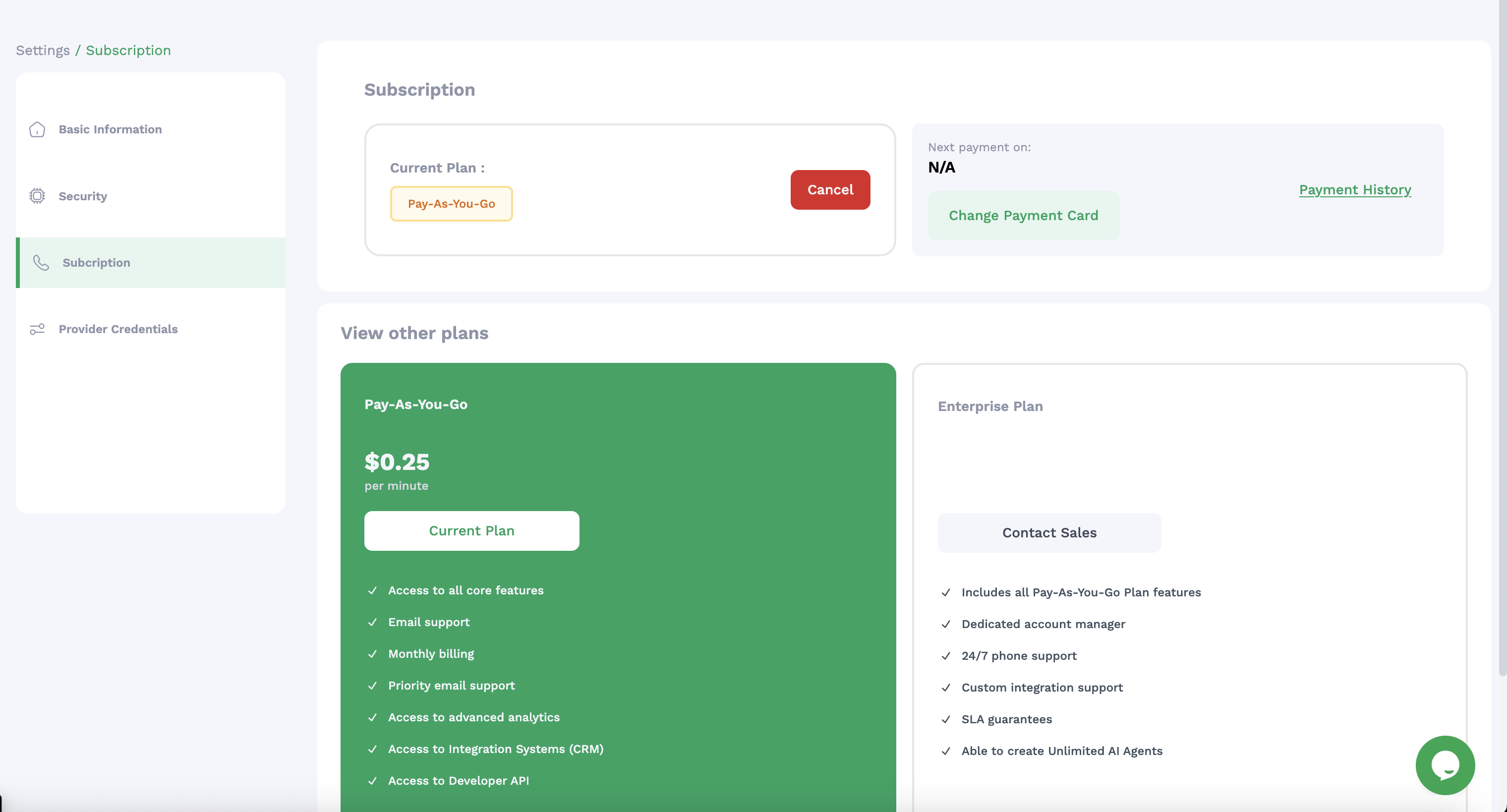
* Ordibl subscription is a Pay-As-You-Go model
* For higher usage, you can upgrade to Enterprise plans
* Add a Pyament Method for billing
* View billing history
### Subscription Plan
* Ordibl subscription is a Pay-As-You-Go model
* For higher usage, you can upgrade to Enterprise plans
* Add a Pyament Method for billing
* View billing history
 ### Provider Credentials
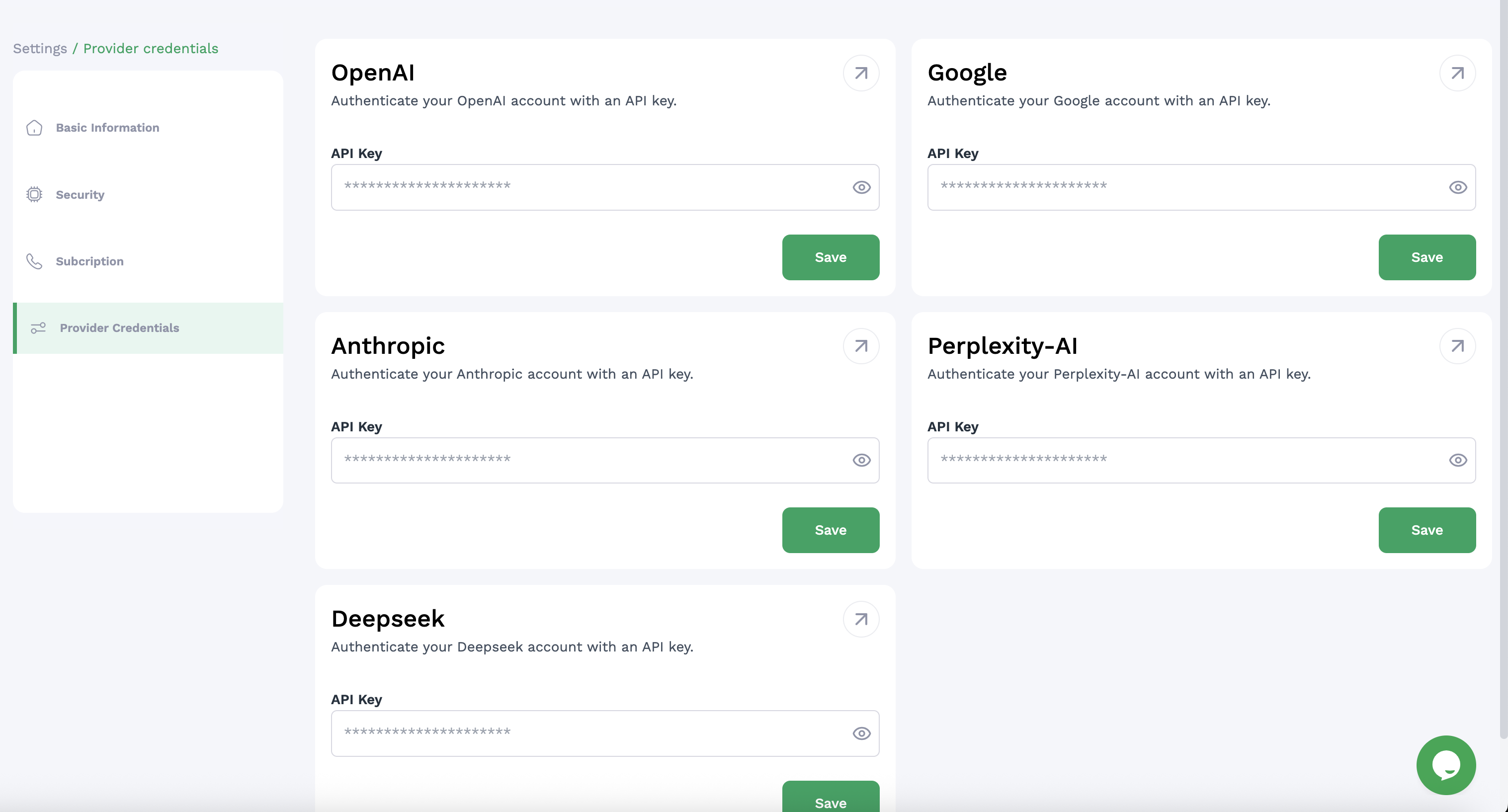
* Add your own API keys for preferred AI models
* Configure custom language model settings
* Manage authentication for external services
### Provider Credentials
* Add your own API keys for preferred AI models
* Configure custom language model settings
* Manage authentication for external services
 ## Important Notes
* Your business profile information may appear in communications with customers
* Regularly review security settings to ensure account protection
* Monitor your subscription usage to avoid unexpected charges
* Custom API credentials may require separate accounts with those providers
* Settings changes may require logging out and back in to take full effect
A properly configured settings profile ensures your Ordibl system accurately represents your organization, maintains appropriate security, operates on the right subscription tier, and utilizes your preferred AI model configurations.
## Important Notes
* Your business profile information may appear in communications with customers
* Regularly review security settings to ensure account protection
* Monitor your subscription usage to avoid unexpected charges
* Custom API credentials may require separate accounts with those providers
* Settings changes may require logging out and back in to take full effect
A properly configured settings profile ensures your Ordibl system accurately represents your organization, maintains appropriate security, operates on the right subscription tier, and utilizes your preferred AI model configurations.